There's a persistent myth that AI is only for Fortune 500 companies. That myth costs SMEs money every week. AI agents for business productivity are deployable now — if you know where they help.
How to Identify AI Agent Opportunities in Your Workflows
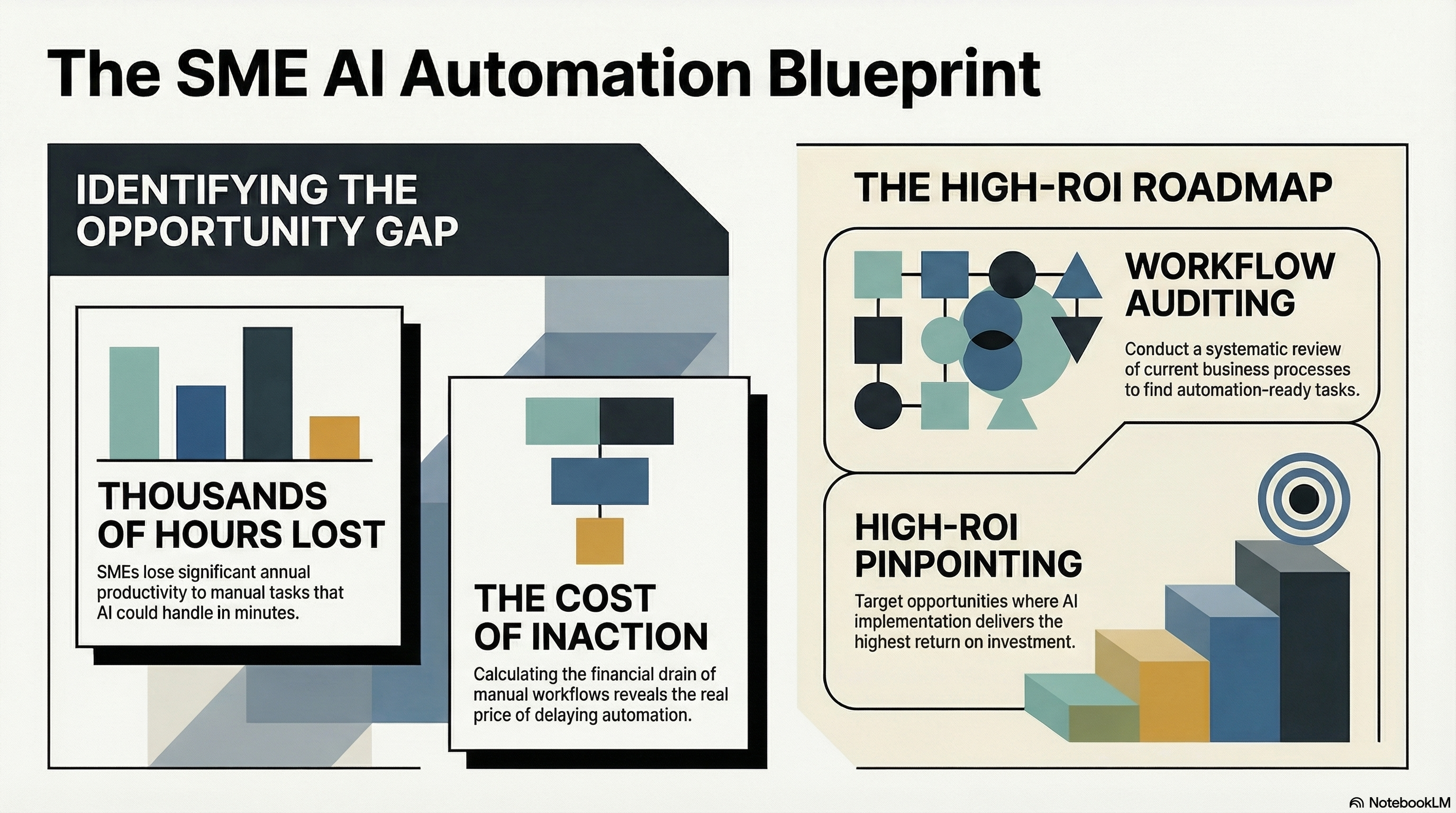
You can't "add AI" like a printer. Start by evaluating workflows: where time goes, what errors cost, and which tasks are ripe for AI agent opportunities. This guide is the full 4-step framework for SMEs — no data-science degree required.
Printable companion: AI agent workflows checklist. After you pick a pilot, measure it with AI agent ROI 30/60/90.
Why SMEs Should Evaluate Workflows Now
If you run a business with 10 to 200 employees, your margins are tight, your team wears multiple hats, and every hour of wasted effort hits the bottom line harder than it would at a large enterprise. That's precisely why workflow automation for SMEs isn't a luxury — it's a competitive necessity.
Consider what's changed in the last 18 months:
- AI agent platforms have become dramatically more accessible. You no longer need a machine learning team to deploy them. Many solutions work out of the box with configuration, not code.
- Labour costs continue to rise. In Canada and across North America, hiring for administrative, customer service, and operations roles is more expensive than ever.
- Your competitors are already moving. According to a 2024 McKinsey survey, 72% of organizations have adopted AI in at least one business function — up from 55% the year before. SMEs that delay risk falling behind on cost efficiency and service quality.
The window for early-mover advantage is closing. But the good news is that business process evaluation doesn't require a massive investment. It requires attention, honesty about how your team spends its time, and a simple framework.
The Four-Step Workflow Evaluation Framework
We use this framework with clients ranging from 15-person professional services firms to mid-sized government agencies. It works because it's grounded in operational reality, not theoretical AI capabilities.
Step 1: Map Your Current Processes
Before you can improve anything, you need to see it clearly. Start by documenting your core business workflows — not in exhaustive detail, but enough to understand the flow of work.
Pick your five to ten most important recurring processes. For most SMEs, these include:
- Customer inquiries and support — How do requests come in? Who responds? How long does it take?
- Invoice processing and accounts payable — Who enters data? How many touchpoints before payment?
- Employee scheduling and time tracking — How are shifts assigned? How are changes communicated?
- Email management — How much time do team leads spend sorting, forwarding, and responding to routine emails?
- Sales follow-up — What happens after a lead comes in? How quickly does someone respond?
- Reporting — Who compiles weekly or monthly reports? Where does the data come from?
For each process, write down:
- Who is involved (roles, not just names)
- What they do at each step
- How long each step takes on average
- What tools they use (email, spreadsheets, CRM, paper forms)
- Where things break down (delays, errors, bottlenecks)
You don't need fancy process mapping software. A whiteboard, a shared document, or even sticky notes on a wall will do. The goal is visibility.
Pro tip: Don't just ask managers how processes work. Ask the people who actually do the work every day. You'll be surprised how different the reality is from the assumed process.
Step 2: Identify Repetitive and Time-Consuming Tasks
Now look at your process maps and highlight every task that meets one or more of these criteria:
- It's repetitive. The same steps are performed the same way, dozens or hundreds of times per week.
- It's rule-based. There's a clear "if this, then that" logic, even if it's currently done by a human.
- It involves moving data between systems. Copying information from an email into a spreadsheet, from a spreadsheet into a CRM, from a CRM into a report.
- It requires gathering and summarizing information. Pulling data from multiple sources to answer a question or prepare a document.
- It's time-sensitive but low-complexity. Tasks like responding to common customer questions, sending appointment reminders, or flagging overdue invoices.
Be honest about what your skilled employees are spending their time on. In our experience, most SME knowledge workers spend 30-50% of their time on tasks that don't require their expertise. That's not a criticism of your team — it's a structural problem that AI agents are specifically designed to solve.
Make a list. Rank the tasks by two factors: frequency (how often they happen) and time consumed (how many person-hours per week). The tasks that score high on both are your prime candidates.
Step 3: Calculate the True Cost of Manual Work
This is the step most SME owners skip — and it's the one that makes the business case undeniable.
For each high-frequency, high-time task you identified, calculate the fully loaded cost:
Annual Cost = (Hours per week) × (Weeks per year) × (Fully loaded hourly rate)
Your fully loaded hourly rate isn't just salary. Include benefits, payroll taxes, office space, equipment, and management overhead. For most Canadian SMEs, a $55,000/year employee has a fully loaded cost of $70,000-$80,000, which works out to roughly $37-$42/hour.
Let's run a real example:
| Task | Hours/Week | Weeks/Year | Loaded Rate | Annual Cost |
|---|---|---|---|---|
| Sorting and responding to routine customer emails | 12 | 50 | $40 | $24,000 |
| Manual data entry from invoices into accounting software | 8 | 50 | $38 | $15,200 |
| Scheduling and rescheduling appointments | 6 | 50 | $35 | $10,500 |
| Compiling weekly status reports | 4 | 50 | $45 | $9,000 |
| Researching prospects before sales calls | 5 | 50 | $42 | $10,500 |
| Total | 35 | $69,200 |
That's nearly $70,000 per year in labour cost on tasks that an AI agent could handle or significantly accelerate. For many SMEs, that's the equivalent of a full-time employee — or the margin on a major client contract.
This is where AI cost reduction becomes tangible. You're not guessing at value. You're looking at real dollars being spent on work that doesn't require human judgment.
Step 4: Match Tasks to AI Agent Capabilities
Now comes the exciting part: understanding what today's AI agents can actually do.
An AI agent is not a chatbot. It's not a simple automation script. An AI agent is a system that can perceive context, make decisions based on instructions and data, and take actions — often across multiple tools and systems. Think of it as a highly capable digital team member that follows your rules, learns your preferences, and works 24/7.
Here's how common SME tasks map to AI agent capabilities:
| Task | AI Agent Capability | Automation Potential |
|---|---|---|
| Responding to common customer questions | Natural language understanding + knowledge base lookup + response generation | 70-90% of inquiries |
| Data entry from documents/emails | Document parsing + data extraction + system integration | 80-95% of entries |
| Appointment scheduling | Calendar integration + preference matching + conflict resolution | 85-95% of bookings |
| Email triage and routing | Intent classification + priority scoring + auto-routing | 80-90% of inbound email |
| Research and summarization | Web research + document analysis + structured output | 60-80% of research tasks |
| Report generation | Data aggregation + template population + anomaly flagging | 70-90% of routine reports |
The key insight: you don't need 100% automation to see massive ROI. Even automating 70% of a task that consumes 12 hours per week saves your team over 8 hours weekly — that's more than a full workday returned to higher-value activities.
Red Flags: Tasks Perfect for AI Agents
As you evaluate your workflows, watch for these telltale signs that a task is begging for an AI agent:
- "We have a person who just does X all day." If someone's primary job is a single repetitive process, that process is almost certainly automatable.
- "It takes us two days to turn around a simple request." Delays on low-complexity tasks usually mean the bottleneck is human bandwidth, not task difficulty.
- "We keep making errors in data entry / invoicing / scheduling." Humans make mistakes on repetitive tasks. AI agents don't get tired or distracted.
- "Our best people are stuck doing admin work." This is the most expensive red flag. When your $120,000/year senior staff spend hours on tasks a $40,000/year role could handle — or an AI agent could eliminate — you're burning money.
- "We can't scale because we'd need to hire more people." If growth requires linear headcount increases for operational tasks, AI agents can break that dependency.
Common SME Concerns About AI Deployment (And Why They're Overblown)
We hear these concerns from nearly every SME we work with. They're understandable — and largely addressable.
"We Don't Have the Technical Expertise"
This is the number one concern, and it's the most outdated. AI deployment for small business has fundamentally changed. Modern AI agent platforms are designed for business users, not engineers. Many can be configured through natural language instructions — you literally tell the agent what to do in plain English.
That said, you do benefit from expert guidance on architecture, security, and governance — especially if you handle sensitive customer or financial data. That's where working with a specialized consultancy pays for itself. But the day-to-day operation of most AI agents requires no more technical skill than managing a CRM or spreadsheet.
"AI is Too Expensive for Our Size"
Let's look at this objectively. Many AI agent platforms cost between $50 and $500 per month for SME-scale usage. Even a custom-deployed solution typically runs $5,000-$25,000 for initial setup, with modest ongoing costs.
Compare that to the $69,200 in annual manual labour costs from our example above. Even at the high end, you're looking at a payback period of weeks to months, not years. The question isn't whether you can afford AI — it's whether you can afford to keep paying humans to do work that machines handle better and faster.
"Our Processes Are Too Unique"
Every business owner believes their processes are unique. And in some ways, they are. But the types of tasks — email handling, data entry, scheduling, research, reporting — are universal. What's unique is your specific rules, preferences, and context.
Modern AI agents are designed to be configured with your context. They can be given your company's policies, your response templates, your scheduling rules, your data formats. This is what we call context engineering — shaping the AI's behaviour to match your specific business logic. It's not one-size-fits-all, but it's also not building from scratch.
Real-World Examples: Where AI Agents Drive ROI Fast
Here are scenarios drawn from real engagements (details anonymized) that illustrate productivity improvement with AI agents in practice:
1. Professional Services Firm (28 employees)
- Problem: Two administrative staff spent a combined 20 hours/week managing client intake emails — reading inquiries, categorizing them, routing to the right advisor, and sending acknowledgment responses.
- Solution: An AI agent that reads incoming emails, classifies intent, extracts key information, routes to the appropriate team member, and sends a personalized acknowledgment within minutes.
- Result: 85% of intake emails handled automatically. Admin staff redirected to client relationship management. Response time dropped from 4-6 hours to under 10 minutes.
2. Distribution Company (45 employees)
- Problem: The operations manager spent 8 hours every Monday compiling a weekly performance report from three different systems — their ERP, shipping platform, and CRM.
- Solution: An AI agent that pulls data from all three systems every Sunday night, generates the report in the company's standard format, flags anomalies, and emails it to the leadership team by Monday 7 AM.
- Result: Report generation went from 8 hours to zero human hours. The operations manager now spends Monday mornings on strategic planning instead of copy-pasting data.
3. Healthcare Clinic (12 employees)
- Problem: Front desk staff fielded 60+ calls per day, with 70% being appointment scheduling, rescheduling, or cancellations. Hold times were long, patients were frustrated, and staff were overwhelmed.
- Solution: An AI scheduling agent integrated with their practice management system, handling bookings via phone and web chat with natural conversation.
- Result: Call volume to human staff dropped by 65%. Patient satisfaction scores increased. The clinic was able to extend operating hours without hiring additional reception staff.
In every case, the AI agents for business productivity didn't replace the team — they removed the drudgery so the team could do more meaningful work.
Getting Started: Your First AI Agent Implementation
Don't try to automate everything at once. Here's how to get your first win:
- Pick one workflow — Choose the task from your evaluation that has the highest combination of frequency, time cost, and simplicity. Email triage, appointment scheduling, and data entry are common first choices.
- Define success clearly — What does "working" look like? A 50% reduction in time spent? A faster response time? Fewer errors? Set a measurable target.
- Start with a pilot — Run the AI agent alongside your existing process for 2-4 weeks. Let your team verify outputs and flag issues. This builds confidence and catches edge cases.
- Measure and iterate — Compare your pilot results against your baseline metrics. Calculate actual time saved and cost reduction. Use this data to justify expanding to additional workflows.
- Get expert guidance where it matters — You don't need a full-time AI team, but you do need someone who understands secure deployment, data privacy, and governance — especially if you're in a regulated industry. A focused engagement with a specialized firm can save you months of trial and error.
The most important thing is to start. Every week you delay is another week of paying premium labour costs for tasks that don't require human intelligence.
Conclusion: From Evaluation to Action
The opportunity for AI agents for business productivity in SMEs isn't theoretical — it's immediate and measurable. The framework in this guide gives you everything you need to evaluate your workflows, quantify the cost of inaction, and identify where AI agents will deliver the fastest return.
You don't need a data science team. You don't need a massive budget. You don't need to overhaul your entire operation. You need to pick one high-impact workflow, deploy an AI agent that handles it well, measure the results, and expand from there.
The businesses that thrive over the next five years won't be the ones with the most employees — they'll be the ones that use every hour most intelligently. Business process evaluation is the first step. Action is the second.
Ready to identify the highest-ROI AI agent opportunities in your business? At Llama Research, we help SMEs and enterprise organizations evaluate workflows, design secure AI agent architectures, and deploy solutions that deliver measurable results — with governance and data privacy built in from day one. Get in touch to schedule a workflow assessment.
Related reading from Llama Research
- Autonomous multi-agent AI platform: inside Project Cortex
- Private AI for regulated enterprises vs public APIs
- Multi-agent trading system architecture and risk gates
See more at llamaresearch.ai or email hello@llamaresearch.ai.